The 3-2-1 backup rule
Keep three copies of your data, on two different kinds of storage, with one copy somewhere else. It's the most widely used backup rule in the world because it's simple and it works.
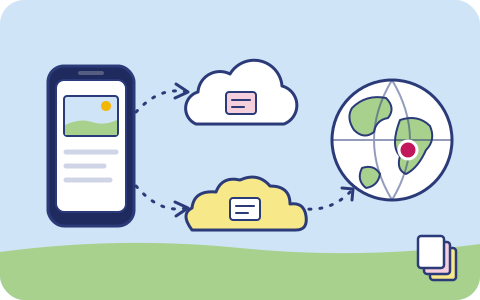
The rule in one line
3 copies of your data, on 2 different media or providers, with 1 copy off-site.
The rule was popularised by photographer Peter Krogh in his work on managing digital photo archives. It has since become the default advice from IT teams, storage vendors and government cyber-security agencies.
Why three copies
One copy is not a backup; it’s the only copy. Two copies protect you from a single failure, but while you restore from the second copy you have no safety net. With three, you can lose one copy and still have two while you recover.
Why two different media or providers
Copies that share a weakness tend to fail together. Two hard drives bought on the same day from the same batch often fail within weeks of each other. Two folders in the same cloud account share one password, one billing relationship and one set of admin mistakes.
For data in the cloud, “two media” means two independent providers. A different company, different infrastructure and different credentials. An outage, a bug or a locked account at one provider can’t reach the other.
Why one copy off-site
Fire, flood, theft and power surges are local. So are regional cloud outages. A copy in another city is good; a copy on another continent is out of reach of almost any single disaster.
The extended rule: 3-2-1-1-0
Ransomware changed the threat. Attackers now look for backups and delete or encrypt them first. So many organisations follow 3-2-1-1-0:
- 1 copy that is offline or immutable: it can’t be changed or deleted, even by an administrator, until a retention date passes.
- 0 errors: backups are verified, and restores are tested regularly, so you know they work.
How triplicate implements it
| Rule | What we do |
|---|---|
| 3 copies | The original on your device, plus two copies we store |
| 2 providers | Each cloud copy is held by a different storage provider |
| 1 off-site | Your second copy is on a different continent from your first |
| 1 immutable | Business and enterprise vaults can use object lock |
| 0 errors | Every object is checksummed on upload and re-verified after replication |
You don’t have to manage any of this. Install the app or point your backup tool at us, and the placement happens automatically.