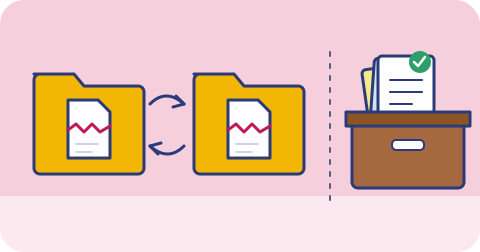
Ask people whether their files are backed up and many will say yes, because everything is “on Google Drive” or “in iCloud”. These services are excellent at what they do. But what they do is sync, and sync is a different job from backup.
What sync does
A sync service has one goal: make the same set of files look identical on every device and in the cloud. Edit a spreadsheet on your laptop, and the change appears on your phone. Rename a folder on your phone, and it is renamed everywhere.
That is exactly what you want for working across devices. It is also exactly what you do not want when the change is a mistake.
What backup does
A backup is a separate copy, taken at a point in time, that does not change when the original changes. Good backups keep several points in time (versions) so you can go back to yesterday, last week or last month. A backup is supposed to be boring and slow to change; that is the point.
| Sync | Backup | |
|---|---|---|
| Goal | Same files everywhere, right now | Recover files as they were earlier |
| When you delete a file | Deleted everywhere (often after a short trash period) | Earlier copies remain |
| When a file is corrupted or encrypted | Corrupted version spreads | Clean earlier version remains |
| History | Limited, varies by plan | Designed around history and retention |
| Typical use | Working across devices, sharing | Recovering from loss, mistakes, attacks |
How sync fails you
Accidental deletion
You clear out a folder on your laptop to free up space, forgetting it was a synced folder. The deletion syncs to the cloud and to your other devices. Most services keep a trash or recycle bin for a limited period, but if you notice after that window closes, the files are gone.
Overwriting
You save over a document with the wrong version, or a family member edits a shared spreadsheet and removes a tab. Some services keep version history for some file types, for a limited time. It is easy to assume this covers everything when it does not.
Ransomware
Ransomware encrypts files on your computer. If those files are in a synced folder, the encrypted versions are uploaded, replacing the good ones in the cloud. Some providers have features to roll back a folder to an earlier date, and they can help, but they depend on the plan you are on, how long ago the damage started, and whether the attacker also got into your account.
Account problems
If your account is compromised, the attacker can delete files in the cloud, and those deletions sync down to your devices. If your account is suspended, or you lose access because the recovery phone number is an old SIM you no longer have, both your “original” and your “backup” are in the same locked room.
Sync conflicts
When two devices edit the same file offline, sync services resolve conflicts with rules that sometimes keep the wrong version. Usually you get a “conflicted copy” file; occasionally you do not notice.
Sync copies your mistakes as faithfully as your work. A backup is what lets you undo them.
Can a sync service be part of a backup plan?
Yes, as long as you are honest about what it gives you. A sync service:
- protects well against a lost or broken device, because the files are in the cloud
- protects partly against mistakes, through its trash and version history, within limits
- protects poorly against account loss, ransomware that syncs, or slow-noticed problems
So treat it as one copy (usually copy 2 in a 3-2-1 setup), and add an independent copy that does not mirror changes instantly.
Questions to ask about any service you rely on
Whether it is a sync service or something sold as a backup, find out:
- How long are deleted files kept? Days, weeks or indefinitely?
- How many versions of a file are kept, and for how long?
- Can I restore a whole folder to a date, or only one file at a time?
- Is there a copy outside this account that a compromised password cannot delete?
- What happens to my data if I stop paying?
- Where is the data physically stored?
If you cannot answer these, you do not yet know what you are protected against.
A practical setup
For most people and small teams, a reasonable arrangement is:
- Keep using Drive, iCloud or OneDrive for everyday working and sharing.
- Add a separate backup that takes versioned copies of the important folders, ideally with a different provider, so one account problem cannot affect both.
- Keep some versions for months, not just days, because many problems are noticed late.
- Once in a while, restore a file from the backup to confirm it works.
Closing note
triplicate is a backup service rather than a sync service: copies are kept in two separate regions, with different storage providers, independent of your phone or laptop. We are still launching. Read about how 3-2-1 works with triplicate or join the waitlist.
Keep reading
Why your phone is not a backup
Your phone holds years of photos, chats and documents, but it is one device that can be lost, stolen, dropped or wiped. Here is how to think about it.
What is the 3-2-1 backup rule?
Three copies, two kinds of storage, one copy somewhere else. What the 3-2-1 rule means, where it came from, and the mistakes people make applying it.
Ransomware recovery for small businesses
What to do in the first hours after ransomware hits a small business, how backups decide the outcome, and how to prepare before it happens.