Personal · What you keep · Email
Keep a copy of your email, even if the account locks you out
Your email holds offer letters, tickets, bank statements and twenty years of conversations. It's also the account most likely to be locked after a forgotten recovery phone number.
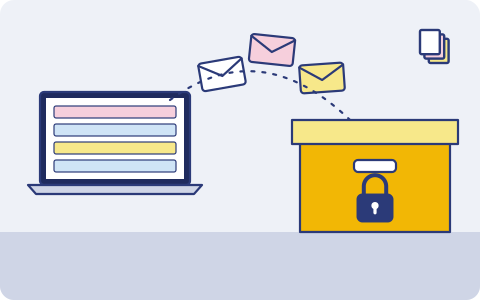
What you have, and where it lives
Usually one copy, in one place. That's the part we fix.
| What | Where it usually is |
|---|---|
| Personal Gmail, Outlook.com or Zoho | The provider's servers, and only there |
| An old account from college days | Rarely opened |
| Work mail | The employer's server, until you leave |
| Attachments: tickets, statements, policies | Inside the emails |
How it usually gets lost
- An old Gmail account is locked because the recovery number was a SIM you no longer have.
- A mailbox is deleted for inactivity.
- Someone gets into the account and deletes mail.
- You leave a job and the work mailbox, with your own records in it, is gone.
What we back up
You choose what goes up. Copy one stays on your phone or laptop; copies two and three go to two storage providers you choose, one of them on another continent (Mumbai or Hyderabad if your data must stay in India).
Any IMAP mailbox
Connect with an app password. Gmail, Outlook.com, Zoho and most others.
Every few hours
New mail is copied every few hours. Nothing is changed on the server.
Restore as mbox
Download the archive as mbox, or restore into another mailbox.
Old accounts too
Add the accounts you rarely open. They're the ones most likely to be locked or deleted.
An archive of your email More on email backup.
Good habits, with or without us
- Check the recovery phone and email on your accounts once a year.
- Gmail users can also download a one-off copy with Google Takeout. It is a snapshot, not an ongoing backup.
- Copy personal records out of your work mailbox regularly, within your employer's rules.
- Print the recovery kit you get at setup and keep it with your other important papers. Your files are encrypted on your phone before upload and we can't reset your passphrase, so the kit is how you get back in.
How it works
- 1
Pick what matters
When the app launches, install it on your iPhone or Android phone and choose: photos, the folders you want, contacts, your mailbox. Nothing else leaves your phone.
- 2
It runs on its own
New photos and files are encrypted and copied in the background; email every few hours. Nobody has to remember.
- 3
Get it back
New phone, deleted file or lost laptop: restore everything, or bring back one document from version history.
What it costs
Prepaid, minimum ₹200 a month
You pay for the storage you use at the rates of the two providers you choose, with a ₹200 monthly minimum. Top up by UPI, card or net banking. No auto-debit, no card on file. Prices exclude 18% GST. How pricing works.
Join the waitlist
triplicate is in early access and the phone app is in development. Leave your email and we'll write when it's ready for you.
You might also want
Job seekers and professionals
Offer letters, payslips, Form 16, relieving letters and your own work email, kept for when the next employer, bank or visa office asks.
Tax returns and investment proofs
ITR acknowledgements, Form 16, 80C proofs, rent receipts and capital gains statements, kept year by year.
Contacts
Every number on your phone, from relatives to the electrician, backed up so a new phone starts with all of them.