Personal · Who you are · Newly-weds
The wedding was once. Keep the photos in three places
After the wedding you'll have a pen drive from the photographer, a few hundred phone photos from relatives and a pile of new paperwork. Most couples keep all of it in one place without meaning to.
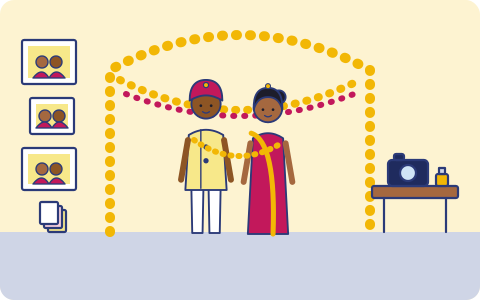
What you have, and where it lives
Usually one copy, in one place. That's the part we fix.
| What | Where it usually is |
|---|---|
| Photographer's edited photos and the full video | A pen drive or a download link that expires |
| Photos and videos from relatives and friends | Dozens of WhatsApp groups and phones |
| Marriage certificate | Paper original, maybe a scan in email |
| Name-change papers, new address proofs, joint account forms | A folder on the dining table |
| Gift lists, vendor bills and receipts | One person's phone and a notebook |
How it usually gets lost
- The photographer's download link expires before anyone saves the files somewhere safe.
- The pen drive with the wedding video sits in a drawer for years. When someone finally plugs it in, it doesn't read.
- One spouse's phone has every photo, and it's the one that gets stolen on the honeymoon.
- The marriage certificate is needed for a passport, a visa or a bank, and the only scan is in an email account neither of you can open now.
What we back up
You choose what goes up. Copy one stays on your phone or laptop; copies two and three go to two storage providers you choose, one of them on another continent (Mumbai or Hyderabad if your data must stay in India).
The wedding files
Copy the photographer's photos and video into a folder on a Windows or Linux computer and back it up, or into a folder on your phone.
Your phones
Photos and videos from both phones, in the background.
Papers for both of you
The marriage certificate, ID scans and new joint papers in the shared family vault, so either of you can open them.
Sharing
Send one document, like the marriage certificate, to an office or a visa agent with a link that stops working after a while.
Good habits, with or without us
- Download the photographer's files the week you get the link, and keep the pen drive too. Pen drives aren't a backup on their own.
- Ask relatives to send the full-quality files, not only WhatsApp forwards, which are compressed.
- Keep the original marriage certificate with your other important papers, and a scan in the family vault.
- Print the recovery kit you get at setup and keep it with your other important papers. Your files are encrypted on your phone before upload and we can't reset your passphrase, so the kit is how you get back in.
How it works
- 1
Pick what matters
When the app launches, install it on your iPhone or Android phone and choose: photos, the folders you want, contacts, your mailbox. Nothing else leaves your phone.
- 2
It runs on its own
New photos and files are encrypted and copied in the background; email every few hours. Nobody has to remember.
- 3
Get it back
New phone, deleted file or lost laptop: restore everything, or bring back one document from version history.
What it costs
Prepaid, minimum ₹200 a month
You pay for the storage you use at the rates of the two providers you choose, with a ₹200 monthly minimum. Top up by UPI, card or net banking. No auto-debit, no card on file. Prices exclude 18% GST. How pricing works.
Join the waitlist
triplicate is in early access and the phone app is in development. Leave your email and we'll write when it's ready for you.
You might also want
Photos and videos
Your camera roll, at original quality, uploaded in the background to two places on two continents.
ID documents
Aadhaar, PAN, passport, voter ID and driving licence scans for everyone in the family, encrypted on your phone before upload.
Families
Everyone's photos, the household papers and a shared family vault, with up to five people on one account.