Personal · What you keep · ID documents
Every ID card in the family, scanned once and kept safe
Banks, schools, landlords, hospitals and travel agents all ask for a copy of an ID. Most families keep those scans scattered across phones, emails and old WhatsApp chats.
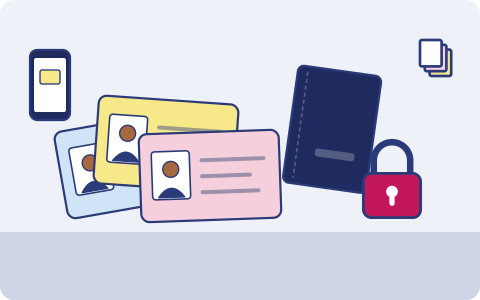
What you have, and where it lives
Usually one copy, in one place. That's the part we fix.
| What | Where it usually is |
|---|---|
| Aadhaar and PAN for each person | Phone galleries and old emails |
| Passports and visa pages | One person's laptop |
| Voter ID and driving licence | Wallet, plus a photo somewhere |
| Children's birth certificates and school IDs | A folder at home |
| Photos for forms (passport size) | A phone gallery and the photo studio |
How it usually gets lost
- A wallet is lost or stolen and you need the licence and PAN numbers to report it and apply again.
- A passport is lost abroad, and the embassy asks for a copy of the photo page.
- Scans sit in a WhatsApp chat with a cyber café, or on a phone that's been sold.
- Someone needs a family member's ID urgently, and the only scan is on the phone of the person who isn't answering.
What we back up
You choose what goes up. Copy one stays on your phone or laptop; copies two and three go to two storage providers you choose, one of them on another continent (Mumbai or Hyderabad if your data must stay in India).
A documents folder
Only the folders you pick are backed up. Put ID scans in one, and nothing else on your phone needs to leave it.
Encrypted on the device
Files are encrypted on your phone before upload. We can't read them.
Family vault
Put each person's ID scans in the shared vault so anyone in the family can send one when needed.
Share one document
Send a single ID scan with a link that expires, instead of forwarding it on chat.
Documents you can't afford to lose How document backup works in the app.
Good habits, with or without us
- Scan both sides of every card in colour, and the photo and address pages of passports.
- DigiLocker is a useful official copy of documents that issuers send to it, such as a driving licence or some board marksheets. It isn't a backup of your own scans, photos and family papers.
- When you send an ID copy, write the purpose and date across it. It makes misuse harder.
- Print the recovery kit you get at setup and keep it with your other important papers. Your files are encrypted on your phone before upload and we can't reset your passphrase, so the kit is how you get back in.
How it works
- 1
Pick what matters
When the app launches, install it on your iPhone or Android phone and choose: photos, the folders you want, contacts, your mailbox. Nothing else leaves your phone.
- 2
It runs on its own
New photos and files are encrypted and copied in the background; email every few hours. Nobody has to remember.
- 3
Get it back
New phone, deleted file or lost laptop: restore everything, or bring back one document from version history.
What it costs
Prepaid, minimum ₹200 a month
You pay for the storage you use at the rates of the two providers you choose, with a ₹200 monthly minimum. Top up by UPI, card or net banking. No auto-debit, no card on file. Prices exclude 18% GST. How pricing works.
Join the waitlist
triplicate is in early access and the phone app is in development. Leave your email and we'll write when it's ready for you.
You might also want
Certificates and marksheets
School and college marksheets, degree certificates, caste, income and domicile certificates, scanned once and kept for life.
Property and home papers
Sale deeds, khata or mutation papers, property tax receipts and rent agreements, scanned and kept safe from damp, fire and missing files.
NRIs
Your Indian papers held abroad, your parents' documents at home and the family photos in between, in two places on two continents.