Personal · What you keep · Bills and warranties
The bill you'll need on the day the appliance breaks
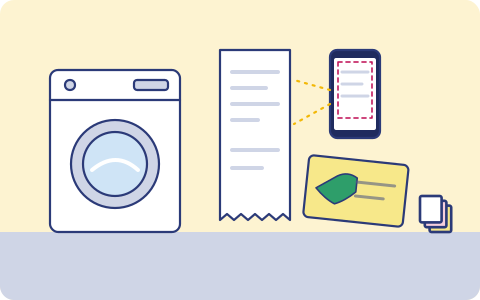
Warranty claims ask for the bill. Thermal receipts fade, cards go into drawers and online orders are buried in email. Scan once with your phone and the bill is where you can find it.
What you have, and where it lives
Usually one copy, in one place. That's the part we fix.
| What | Where it usually is |
|---|---|
| Bills for appliances, phones and furniture | A drawer, or faded thermal paper |
| Warranty cards and extended warranty papers | The box, which was thrown away |
| Online order invoices | Email and shopping apps |
| Service and repair bills | A clip on the fridge |
| Medical and fuel bills for reimbursement | Wallet |
How it usually gets lost
- The fridge stops in its second year and the service centre asks for the invoice.
- The ink on a thermal receipt fades within months.
- An office reimbursement needs bills that were thrown away with a wallet clean-out.
- An online shopping account is closed and the order history goes with it.
What we back up
You choose what goes up. Copy one stays on your phone or laptop; copies two and three go to two storage providers you choose, one of them on another continent (Mumbai or Hyderabad if your data must stay in India).
Bill scanner
Photograph a bill and the app reads vendor, date, amount and due date, and files it.
Search
Find it later by shop or year when a warranty or reimbursement needs it.
Warranty cards
Scan the card along with the bill.
Back up the mailbox where online invoices arrive.
Bills, receipts and warranties More on the bill scanner and reminders.
Good habits, with or without us
- Scan a bill the day you buy something with a warranty.
- Write the model and serial number on the bill, or photograph the sticker on the appliance.
- Keep extended warranty papers with the original bill.
- Some service centres ask for the original. Keep it too; the scan is for when it's lost or faded.
How it works
- 1
Pick what matters
When the app launches, install it on your iPhone or Android phone and choose: photos, the folders you want, contacts, your mailbox. Nothing else leaves your phone.
- 2
It runs on its own
New photos and files are encrypted and copied in the background; email every few hours. Nobody has to remember.
- 3
Get it back
New phone, deleted file or lost laptop: restore everything, or bring back one document from version history.
What it costs
Prepaid, minimum ₹200 a month
You pay for the storage you use at the rates of the two providers you choose, with a ₹200 monthly minimum. Top up by UPI, card or net banking. No auto-debit, no card on file. Prices exclude 18% GST. How pricing works.
Join the waitlist
triplicate is in early access and the phone app is in development. Leave your email and we'll write when it's ready for you.
You might also want
Homemakers
Bills, warranties, school papers, insurance and the house file you keep running, backed up from your phone.
Vehicle papers
RC, insurance, PUC, the purchase invoice, loan NOC and service records for your car or two-wheeler.
Tax returns and investment proofs
ITR acknowledgements, Form 16, 80C proofs, rent receipts and capital gains statements, kept year by year.