Personal · Share with your people · Share bills with your CA
Your CA gets the papers, without the WhatsApp chase
Every July and every GST month, the same chase happens: the CA asks for bills and proofs, you search your phone and email, and send photos one by one over WhatsApp. A shared folder ends that.
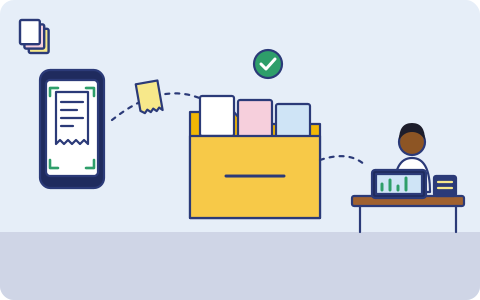
What you have, and where it lives
Usually one copy, in one place. That's the part we fix.
| What | Where it usually is |
|---|---|
| Bills and receipts you scanned | Your phone's gallery, mixed in with everything else |
| Form 16, AIS and bank statements | Email attachments and downloads |
| Investment and insurance proofs for deductions | Different apps and email threads |
| Rent receipts and home loan certificates | Paper, or a photo somewhere |
| Filed returns and acknowledgements your CA sends back | WhatsApp, until the chat is cleared |
How it usually gets lost
- Papers sent over WhatsApp get lost when either of you changes phones or clears chats.
- The CA has to ask twice because the photo was blurry or one page was missing.
- Years later, a notice asks for proofs from an old year, and neither of you has them.
- Your CA's office has your papers in many places, and you can't take them back when you change accountants.
What we back up
You choose what goes up. Copy one stays on your phone or laptop; copies two and three go to two storage providers you choose, one of them on another continent (Mumbai or Hyderabad if your data must stay in India).
A 'For my CA' folder
Scanned bills and the files you choose are filed by financial year and month automatically.
Your CA can open it
Invite your CA by phone or email. They can view and download, and see all the clients who shared with them in one place.
They can send things back
Allow your CA to add files, so the filed return and acknowledgement land in the same folder.
You stay in control
See what your CA opened and downloaded, and remove access in one tap. Your other backups are never shared.
How sharing with your CA will work
- Scan bills with the phone app as they come in, or drop files into the 'For my CA' folder on your computer.
- Invite your CA by phone number or email.
- Your CA opens the folder for the year they're working on and downloads what they need.
- Remove access whenever you like, for example when the return is filed or you change accountants.
Good habits, with or without us
- Scan a bill the day you get it; thermal paper fades within months.
- Keep one folder per financial year, so a notice about an old year is easy to answer.
- Business owners: share sales reports and supplier bills monthly for GST, not in one rush at the deadline.
- Keep your own copy of everything your CA sends back, especially filed returns.
How it works
- 1
Pick what matters
When the app launches, install it on your iPhone or Android phone and choose: photos, the folders you want, contacts, your mailbox. Nothing else leaves your phone.
- 2
It runs on its own
New photos and files are encrypted and copied in the background; email every few hours. Nobody has to remember.
- 3
Get it back
New phone, deleted file or lost laptop: restore everything, or bring back one document from version history.
What it costs
Prepaid, minimum ₹200 a month
You pay for the storage you use at the rates of the two providers you choose, with a ₹200 monthly minimum. Top up by UPI, card or net banking. No auto-debit, no card on file. Prices exclude 18% GST. How pricing works.
Join the waitlist
triplicate is in early access and the phone app is in development. Leave your email and we'll write when it's ready for you.
You might also want
Tax returns and investment proofs
ITR acknowledgements, Form 16, 80C proofs, rent receipts and capital gains statements, kept year by year.
Bills and warranties
Purchase bills, warranty cards and receipts, scanned from your phone and findable when an appliance breaks.
Bank and loan documents
Statements, FD receipts, loan agreements, sanction and closure letters and NOCs, kept for the day a bank or buyer asks.